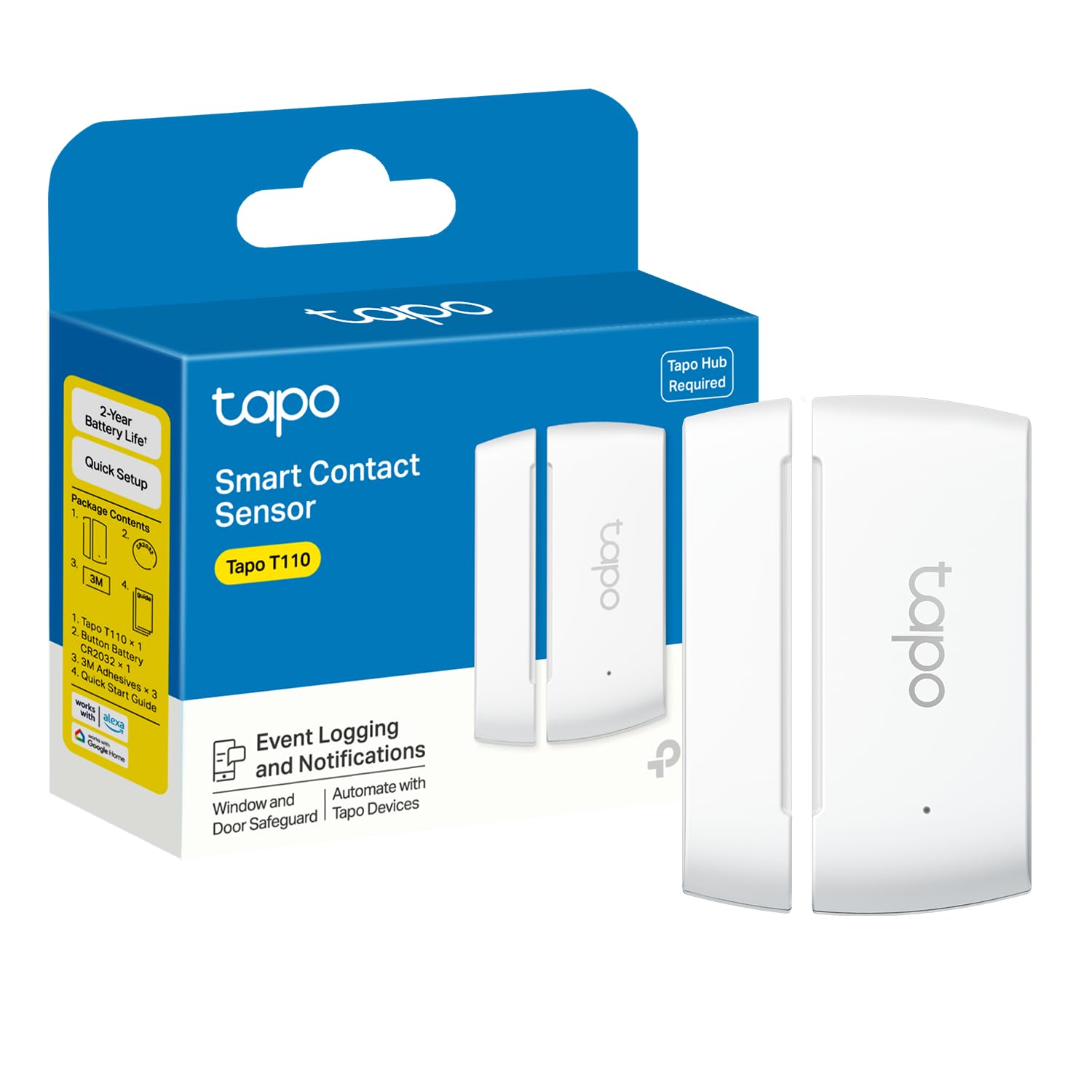
The Tapo Door Sensor Mini T110 is a compact contact sensor for monitoring doors, windows, and other items that open or close.
This Tapo Door Sensor Mini review focuses on its hub requirement, battery expectations, and usefulness for everyday alerts and automations.
Tapo Door Sensor Review Summary
The quick verdict
700+ ratings
Read Amazon ReviewsTapo Door Sensor Mini T110
A practical fit for Tapo households that want alerts and simple automations when doors, windows, or other closable items open.
- Requires a Tapo hub, such as the H100, and a secured 2.4 GHz Wi-Fi network connection.
- Communicates with the hub using a Sub-1G low-power wireless protocol.
- Can monitor doors, windows, cabinets, fridges, mailboxes, and other items that open or close.
- Provides phone notifications when a door or window is opened unexpectedly.

Pros
- Supports several monitoring locations beyond standard entry doors and windows.
- The included battery has a stated life of up to two years under a defined usage pattern.
Consider before buying
- A Tapo hub is required and sold separately, so the sensor alone is not a complete setup.
- The stated battery-life estimate assumes fewer than 30 triggers per day; heavier use may change the replacement interval.
Read the full review summary
The T110 can help you notice when an entry point or household item changes state, with phone notifications and Smart Action options through a Tapo hub.
Its small sensor uses a CR2032 battery, and installation is designed around included adhesive rather than a complicated mounting process.
It suits people who already use, or are willing to add, the Tapo Hub H100 and want door or window status to trigger a connected routine.
The sensor is less appealing as a standalone purchase: it requires the hub and a secured 2.4 GHz Wi-Fi connection, so buyers should account for that broader setup.
The buying factors
Tapo Door Sensor Scorecard
Editorial scores reflect listed features and buyer fit; they are not laboratory measurements or customer ratings.
Setup flexibility
Adhesive mounting supports placement on many surfaces, but operation depends on a compatible Tapo hub and network.
Battery convenience
The included CR2032 is rated for up to two years under the stated usage assumption of fewer than 30 triggers per day.
Monitoring versatility
The described uses extend beyond doors and windows to cabinets, fridges, mailboxes, and other openable items.
Alert usefulness
Phone notifications can report an unexpected opening, while the hub can be programmed to sound an alert.
Automation potential
It can serve as a precondition for actions involving lights or a Tapo security camera.
System dependence
The sensor requires a Tapo hub, which adds a separate device and a 2.4 GHz Wi-Fi requirement.
Key Features and Specifications of Tapo Door Sensor
- Requires a Tapo hub, such as the H100, and a secured 2.4 GHz Wi-Fi network connection.
- Communicates with the hub using a Sub-1G low-power wireless protocol.
- Can monitor doors, windows, cabinets, fridges, mailboxes, and other items that open or close.
- Provides phone notifications when a door or window is opened unexpectedly.
- Can act as a trigger condition for Tapo Smart Actions, including turning lights on or off or disabling a Tapo security camera.
- Uses one included CR2032 battery; expected operation is up to two years with fewer than 30 triggers per day.
- Mounts using included 3M adhesive.
Pros and Cons of Tapo Door Sensor
Pros
- Supports several monitoring locations beyond standard entry doors and windows.
- The included battery has a stated life of up to two years under a defined usage pattern.
- Adhesive mounting offers a straightforward placement option on suitable surfaces.
- Can connect opening events to notifications and compatible Tapo automations.
Consider before buying
- A Tapo hub is required and sold separately, so the sensor alone is not a complete setup.
- The stated battery-life estimate assumes fewer than 30 triggers per day; heavier use may change the replacement interval.
- Before mounting, buyers should check that the sensor and magnet can align across their chosen surface and opening.
Who Should Buy Tapo Door Sensor?
Good fit
Consider the T110 if you already have a compatible Tapo hub and want a simple way to receive alerts about a door, window, cabinet, or other frequently opened item.
The range of example placements makes it useful for more than entry monitoring: a fridge or mailbox could also be worth tracking if its opening matters to your routine.
It is a stronger fit when you plan to use the sensor as part of a connected Tapo setup.
An opening can serve as the condition for a light change or another compatible action, which may help make a routine feel more responsive without requiring you to check the item manually.
Plan the setup before attaching it. Confirm the hub and network requirements, choose a clean surface that can accept adhesive, and check alignment as the door or lid moves.
The battery estimate is most relevant to light-to-moderate use, so frequent triggering is a reason to expect more battery attention.
Who should skip it
Skip it if you need a sensor that works independently without a Tapo hub. The required hub and secured 2.4 GHz Wi-Fi connection are part of the system, so include them in your decision and setup plan.
Look elsewhere if your intended mounting spot cannot keep the sensor and its contact point aligned through the full opening motion, or if you need a battery-life expectation for substantially more than 30 daily triggers.
How the Tapo Door Sensor Mini Fits a Home Monitoring Setup
Hub dependency shapes the real setup
The T110 is one part of a hub-based system. It communicates with the Tapo hub over Sub-1G wireless, while the hub requires a secured 2.4 GHz Wi-Fi connection.
Buyers should verify they have, or are prepared to obtain, the required hub before choosing locations for the sensor.
Think beyond the front door
A contact sensor responds to whether two parts are together or separated, making the described use cases broader than exterior access points. Cabinets, fridges, and mailboxes can all be candidates when knowing that something opened is useful.
The best location is one where the sensor can stay aligned as the item moves.
Battery life depends on activity
The up-to-two-year estimate is tied to fewer than 30 triggers per day and a single CR2032 battery. That gives occasional-use households a helpful planning reference, but it is not a guarantee for every placement.
A frequently opened cabinet or door may create more triggers and shorten the interval between battery changes.
Alerts and actions solve different needs
Phone notifications help when you want to know an opening occurred, while Smart Actions can use that event to influence another Tapo device.
These are complementary uses: one informs you, and the other can make a routine happen automatically. Their practical value depends on the rest of the Tapo setup and how you want the monitored item to affect your home.
Alternatives to Tapo Door Sensor
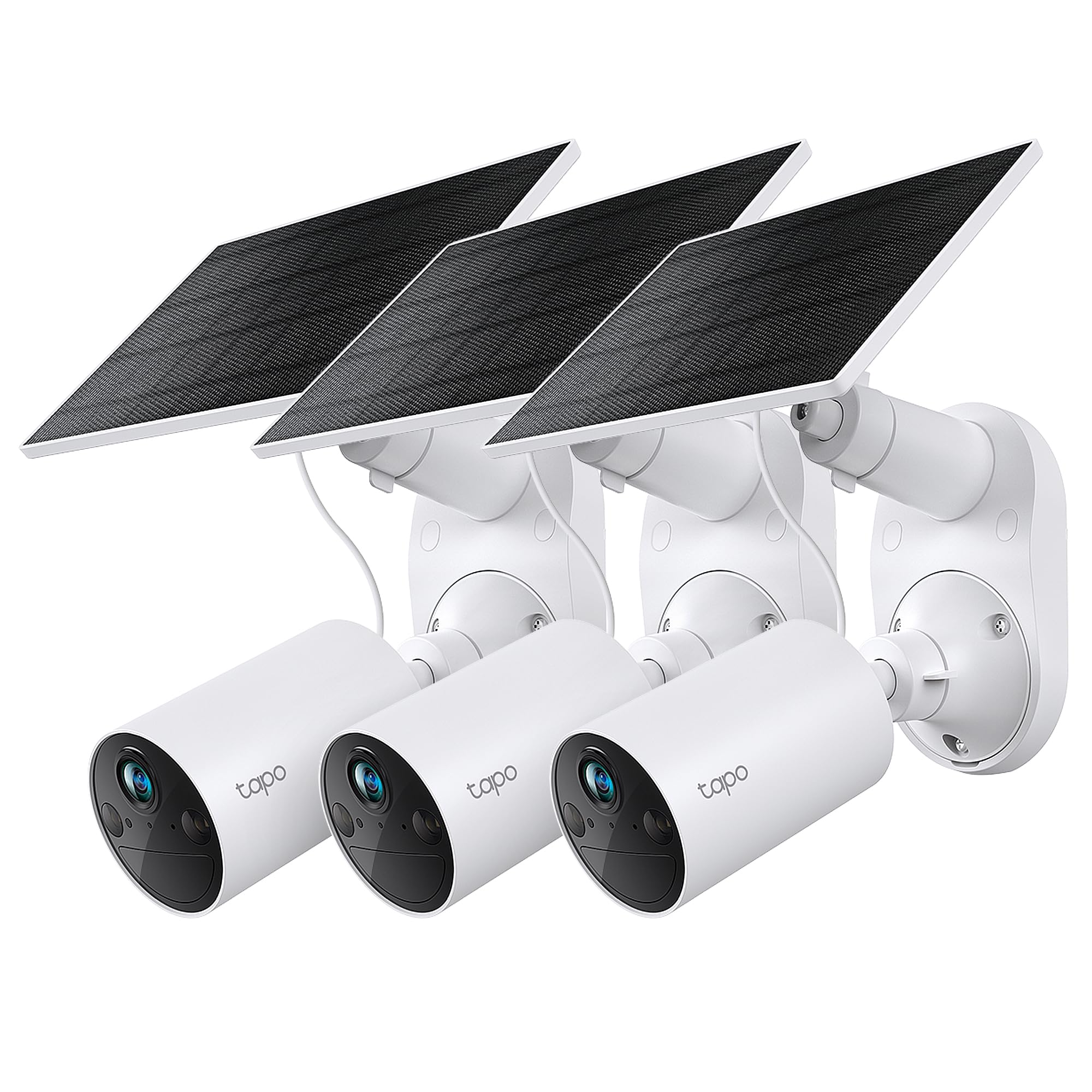
The supplied alternative is an outdoor camera system, so it is useful only if video monitoring is also part of your needs.
Home Security Systems alternative
5,000+ ratings
Read Amazon ReviewsTapo SolarCam C402 KIT 3-Pack
Choose the sensor for contact-state alerts and automations around doors or other openable items. Consider the camera kit when your main need is outdoor video coverage and motion or person alerts; its cameras address a different monitoring job.
- The Tapo SolarCam C402 KIT is a three-camera outdoor system with 1080p live view, person and motion detection, solar charging, and local microSD storage up to 512GB or optional cloud storage.
- The Tapo Door Sensor Mini monitors whether an item has opened and can trigger notifications or Smart Actions through a required hub.
Is Tapo Door Sensor Worth It?
The Tapo Door Sensor Mini T110 is worth considering for households that already use a compatible Tapo hub and want simple alerts or automation triggers for openings.
Its flexible monitoring examples, adhesive mounting, and stated battery life make it a practical add-on for routine awareness around the home.
Make the hub and network requirements part of the purchase decision, and check alignment at the intended mounting point before applying the adhesive. For a standalone sensor or a high-trigger location, the T110 is a less certain fit.
Your review at a glance
700+ ratings
Read Amazon ReviewsTapo Door Sensor Mini T110
A practical fit for Tapo households that want alerts and simple automations when doors, windows, or other closable items open.
- Requires a Tapo hub, such as the H100, and a secured 2.4 GHz Wi-Fi network connection.
- Communicates with the hub using a Sub-1G low-power wireless protocol.
- Can monitor doors, windows, cabinets, fridges, mailboxes, and other items that open or close.
- Provides phone notifications when a door or window is opened unexpectedly.